
AtoB: Find and Save on Fuel
AtoBAuto & Vehicles
4.6118.00 Reviews
- Version
- 1.73.0
- Installs
- 10.00K
- Age Rating
- Everyone
Screenshots
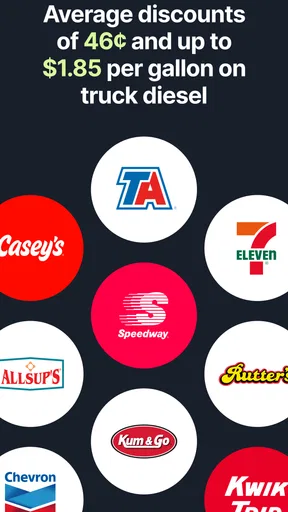
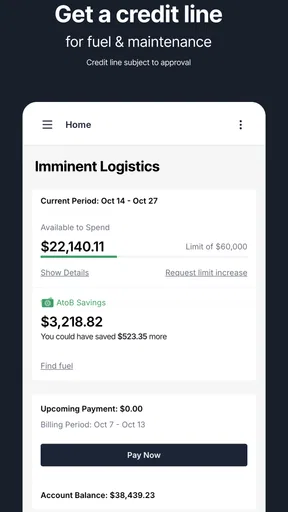
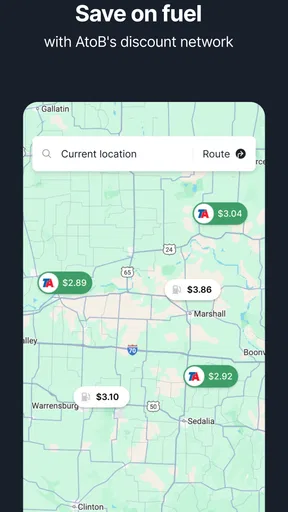
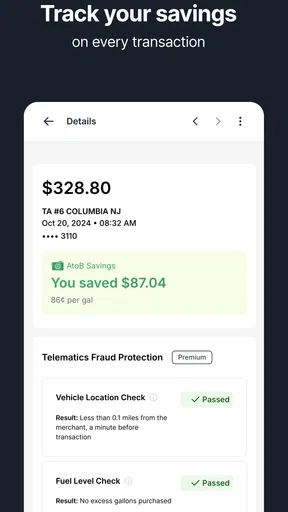
Our Review of AtoB: Find and Save on Fuel
 Analysis by Appyee
Finding cheaper fuel sounds simple until I am standing at a pump, comparing prices, checking whether a discount applies, and trying not to hold up the next driver. AtoB: Find and Save on Fuel is built for that very practical problem. It is a free Auto & Vehicles app from AtoB, aimed at people who want a more organized way to reduce fuel costs rather than relying only on memory, roadside signs, or a quick search.
My impression is that its value depends less on constant browsing and more on using it at the right moment: before a route, before a refill, or when managing several vehicles. It is not a replacement for careful trip planning, and I would not treat a displayed saving as a guarantee that every pump will suit every vehicle. Still, for drivers who regularly buy fuel, the app has a clear purpose and a useful place in a daily routine.
What AtoB is really useful for
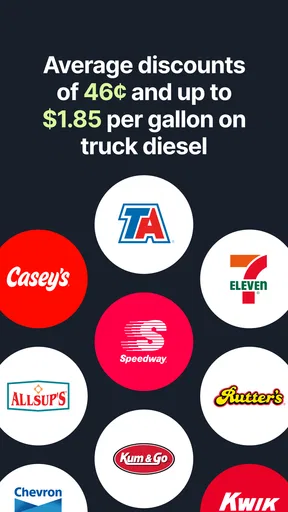
The app’s central idea is straightforward: help transportation users unlock better fuel discounts. That makes it more relevant to drivers who see fuel as a recurring operating cost than to someone who fills up only occasionally. A commuter, delivery driver, independent contractor, or small fleet operator can benefit more than a person who rarely travels beyond the local area.
I like that the concept is focused. Instead of presenting itself as a general driving companion, AtoB concentrates on the part of vehicle ownership that can quietly consume a large share of a budget. That focus also sets a realistic expectation: the app is primarily about fuel savings and access, not navigation, vehicle diagnostics, roadside assistance, or trip entertainment.
The developer is AtoB, and the app has built a solid early audience, with an average rating of 4.6 from around 660 ratings and more than 10 thousand installs. It is free, rated for Everyone, and runs on Android 7.0 or later. Its current version is 1.73.0, so users with older phones should check their operating system before spending time trying to install it.
Those details matter because a fuel-saving tool is only useful when it is available at the point of need. I would install it before leaving for a long drive, not while the fuel warning light is already on. That gives me time to complete the initial checks, understand the available workflow, and avoid making a hurried decision at the station.
Where people are most likely to get stuck
The first point of friction is usually expectation management. A person may open AtoB expecting an instant universal discount at any nearby station. That is not the safest way to approach it. Savings tools generally depend on the route, the participating fuel option, the user’s setup, and the way the transaction is completed. I would first identify what the app is asking me to do, then compare the final practical cost with my normal alternative.
A second sticking point is entering information while distracted. Drivers often try to configure an app in a parking lot, with a low battery, weak reception, or a queue behind them. Even when the app itself is working correctly, that environment makes small mistakes more likely. My advice is to do the first setup at home or while parked safely, then use the app at the pump only for the final step.
Another common misunderstanding is confusing a fuel discount with the lowest overall trip cost. A station with a better price may be slightly farther away, require a detour, or be inconvenient for a large vehicle. For a private car, a short detour may be acceptable. For a delivery driver working against a schedule, the time and extra fuel can cancel out the apparent saving.
The best result comes from treating AtoB as a decision tool, not as permission to stop thinking about the route. I still check whether the station is sensible for the vehicle, whether the timing works, and whether the saving is meaningful after the detour.
Setup checks that prevent avoidable trouble
Before depending on the app, I would confirm that the phone meets the minimum operating requirement and that the installed version is current. AtoB supports Android 7.0 and newer, while the listed version is 1.73.0. Keeping the app updated is especially sensible for a service involving account access or transaction-related steps, because older builds can create confusion when screens or sign-in flows change.
I would also prepare the practical information I may need before opening the app: the vehicle I am driving, the likely route, the preferred fuel type, and whether I am using the service for one vehicle or as part of regular work. This is not busywork. Knowing those details helps me judge whether an option actually fits instead of selecting the first discount that appears.
Location is another useful check. If the app relies on nearby fuel information, a weak signal or inaccurate phone location can make the result less useful. I would verify that the phone knows roughly where I am while parked, and I would avoid making a final choice based on a screen that has not refreshed properly. If the location looks wrong, moving a short distance to an open area or reopening the app may be more productive than assuming the fuel information is bad.
Notifications and battery restrictions can also affect convenience, although I would not change every phone setting automatically. If an important step does not appear, I would first reopen the app and check the screen manually. Only then would I review whether the phone is restricting background activity. This keeps troubleshooting focused instead of granting unnecessary access or changing settings without a clear reason.
For someone using AtoB in a work vehicle, I would establish a simple routine: review the intended stop before starting the route, confirm the vehicle details, and keep the phone mounted or accessible without handling it while moving. The app can support a driving workflow, but it should never encourage interacting with a phone in traffic.
A realistic everyday workflow
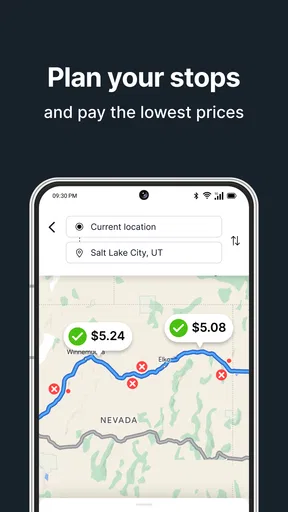
Imagine I am driving several deliveries and expect to need fuel before returning home. Rather than waiting until the tank is nearly empty, I open AtoB while parked at the start of the shift. I look for a suitable fuel option along the route, compare the likely saving with the distance from my planned path, and choose a stop that does not create a long interruption.
When I arrive, I use the app according to the instructions shown there, keeping the phone interaction brief. After the purchase, I check that the expected result has been recorded or reflected in the relevant part of the app. I would keep the receipt until I am satisfied that everything has completed correctly. That last step is easy to overlook, but it gives me a reference if the amount, station, or discount does not look right later.
This workflow shows where AtoB can be stronger than simply searching for cheap fuel on a map. A map may help me find a station, but it does not necessarily organize the discount process around my transportation needs. On the other hand, a map remains better for seeing the full route, checking traffic, judging the detour, and comparing nearby alternatives. I would use both when the trip matters.
For an occasional driver, the process may feel like more effort than the saving is worth. For a person who fuels frequently, the same few checks become routine. That is the main trade-off: AtoB can make repeated fuel decisions more structured, but it does not remove the need to make those decisions.
How to recover when the workflow breaks
If the app freezes or a screen does not load, I would begin with the least disruptive steps. I would check the connection, close and reopen the app, and confirm that the phone still has an accurate location. I would not immediately repeat a payment-related action, because duplicate attempts can create uncertainty about what has already gone through.
If the app shows an unexpected result after a fuel purchase, I would compare the app’s information with the receipt and the bank or payment record rather than relying on memory. The receipt is the clearest practical reference for the station, time, and amount. I would also note whether the problem happened before the transaction, during the transaction, or after it appeared complete. That distinction helps separate a display delay from a payment or account issue.
When a discount does not appear as expected, I would avoid assuming that reinstalling the app will fix it. Reinstallation can remove local convenience but does not correct an eligibility or transaction mismatch. First I would review the selected option, confirm that I followed the displayed process, and check whether the app has refreshed. If the issue concerns money or a completed purchase, I would preserve the receipt and use the app’s available support path rather than trying the same action repeatedly.
A useful recovery habit is to take a screenshot of a relevant confirmation screen when safely parked, while also keeping the physical receipt. I would not capture sensitive information unnecessarily, but a basic record can make a later explanation much clearer. This is particularly helpful for drivers who make several fuel purchases in a day and may otherwise confuse one stop with another.
If the app opens normally but a particular station or result seems wrong, I would test whether the issue follows me. Checking another nearby location, refreshing the search, or trying again later can reveal whether the problem is local to one result. I would not drive out of my way solely to test the app, especially when the vehicle is low on fuel.
When AtoB is not the cause
Not every failed fuel-saving attempt is an app failure. A station can be busy, temporarily unable to process a payment, out of a particular fuel type, or operating differently from what a driver expected. A phone can also lose signal at exactly the wrong moment. In those cases, the app may have done its job by identifying an option, while the real obstacle happened at the station or on the network.
That is why I would keep a backup plan. Before committing to a long detour, I would know where the next reasonable fuel stop is. If the vehicle needs fuel urgently, I would prioritize reaching a suitable station safely over protecting a small expected discount. Saving money is useful; running the tank too low because I am chasing a better option is not.
There is also a difference between an app being technically available and being a good fit for a particular driver. Someone who wants a complete navigation system, live traffic planning, maintenance reminders, or broad vehicle management should look elsewhere or pair AtoB with those tools. The app’s strength is narrower, and that narrowness is a benefit only when fuel discounts are the main need.
Likewise, a person who dislikes account-based workflows or does not want to check an app before refueling may find a familiar local station more convenient. The usual alternative is simple: drive to a known pump and pay in the normal way. That approach may offer less opportunity for organized savings, but it has fewer steps and less dependence on a phone.
Who will get the most from it
I see the strongest fit for drivers who refuel often and can plan even a little ahead. Delivery workers, independent transportation operators, and small business owners may appreciate having a dedicated place to consider fuel savings rather than treating every stop as an isolated decision. The benefit becomes more noticeable when the app is part of a repeatable routine.
It can also suit a careful private driver who takes regular long trips. In that situation, checking fuel options before departure may help avoid expensive last-minute stops. I would still compare the route impact, because the cheapest listed option is not automatically the best choice if it adds unnecessary distance.
I would be more cautious recommending it to someone who drives very little, always uses the same nearby station, or needs an all-in-one travel app. In those cases, the setup and checking process may not justify itself. The free price makes trying it low-risk, but time and attention are still costs, especially for a driver who values simplicity above optimization.
My practical verdict after using it
AtoB: Find and Save on Fuel is a focused tool for people who want to make fuel spending more deliberate. I appreciate that it addresses a real recurring expense instead of trying to become an entire driving ecosystem. Its free availability and Everyone age rating make it approachable, and the established rating suggests that many users find the basic idea worthwhile.
My recommendation comes with a condition: set it up before the stressful moment, verify the route and vehicle context, and keep a backup option. The app is most helpful when I use it to plan a sensible fuel stop, not when I expect it to solve every problem at the pump. I would also retain receipts and avoid repeating actions if a confirmation looks delayed or unclear.
Compared with ordinary map searches, it offers a more fuel-saving-oriented workflow. Compared with simply visiting a familiar station, it asks for more attention but may provide a more organized way to pursue discounts. Neither alternative disappears; they remain useful companions when route details, convenience, or urgency matter more than the potential saving.
In the end, I would recommend AtoB to frequent drivers who are willing to build one extra check into their routine. I would skip it if I wanted navigation, maintenance tracking, or completely hands-off refueling. Used within its proper role, it is a practical transportation app with a clear purpose, sensible everyday value, and enough setup friction that preparation makes all the difference.
Verdict
Strengths of AtoB: Find and Save on Fuel
- Compares nearby fuel prices to help identify cheaper refueling options.
- Includes route planning that can factor fuel stops into longer journeys.
- Simple map interface makes it easy to browse stations around your location.
- Can help reduce driving time by highlighting conveniently located stations.
- Useful for monitoring fuel costs when prices change frequently.
Limitations of AtoB: Find and Save on Fuel
- Fuel prices may be outdated or inaccurate at some stations.
- Coverage and feature availability can vary by country or region.
- Requires location access for the most useful nearby-station results.
- Savings may be offset by extra driving to reach a cheaper station.
- Some advanced tools or offers may require an account or paid access.
Similar Picks in This Category
View All
Android Auto
Google LLC4.1

maxim — order a taxi & food
PT. SITO4.7

Штрафы ГИБДД: проверка с фото
Pays LLC – Штрафы ГИБДД4.7

Номерограм – проверка авто
Авто Ассист4.8

Дром Авто
Дром4.9

Frequently Asked Questions
What is AtoB: Find and Save on Fuel?
AtoB: Find and Save on Fuel is a mobile app designed to help drivers locate nearby fuel stations and compare available prices. It can make everyday refueling more convenient by showing useful station information in one place, helping you identify potentially cheaper options before making a detour. Availability and displayed details may vary depending on your location and local data coverage.
How does AtoB help users save money on fuel?
The app helps users save by making it easier to compare fuel prices at nearby stations rather than stopping at the first one they see. You can review available prices, consider the distance to each station, and decide whether traveling farther is worthwhile. Actual savings depend on fuel consumption, traffic, price accuracy, and how frequently station information is updated.
Does AtoB provide navigation to selected fuel stations?
AtoB can help you find fuel stations in your area and may provide directions or connect with a navigation service, depending on the app version and device settings. Before driving, check the suggested route and station details carefully. Navigation features can rely on location services, mobile data, and third-party map information, so results may differ by region.
Does AtoB cover every fuel station and show real-time prices?
Coverage and price freshness are important considerations before relying on the app. AtoB may not list every station in every country or city, and some prices can be delayed, incomplete, or supplied by users and external data sources. Treat displayed information as a helpful reference, verify the price at the station when possible, and keep an alternative option in mind.
What permissions and information does AtoB require?
To show nearby fuel stations and provide location-based results, AtoB may request access to your device location. Depending on the features you use, it may also need internet access, notifications, or permission to open mapping services. Review the permissions and privacy information presented during installation, and disable background location access if you only want to search manually.
